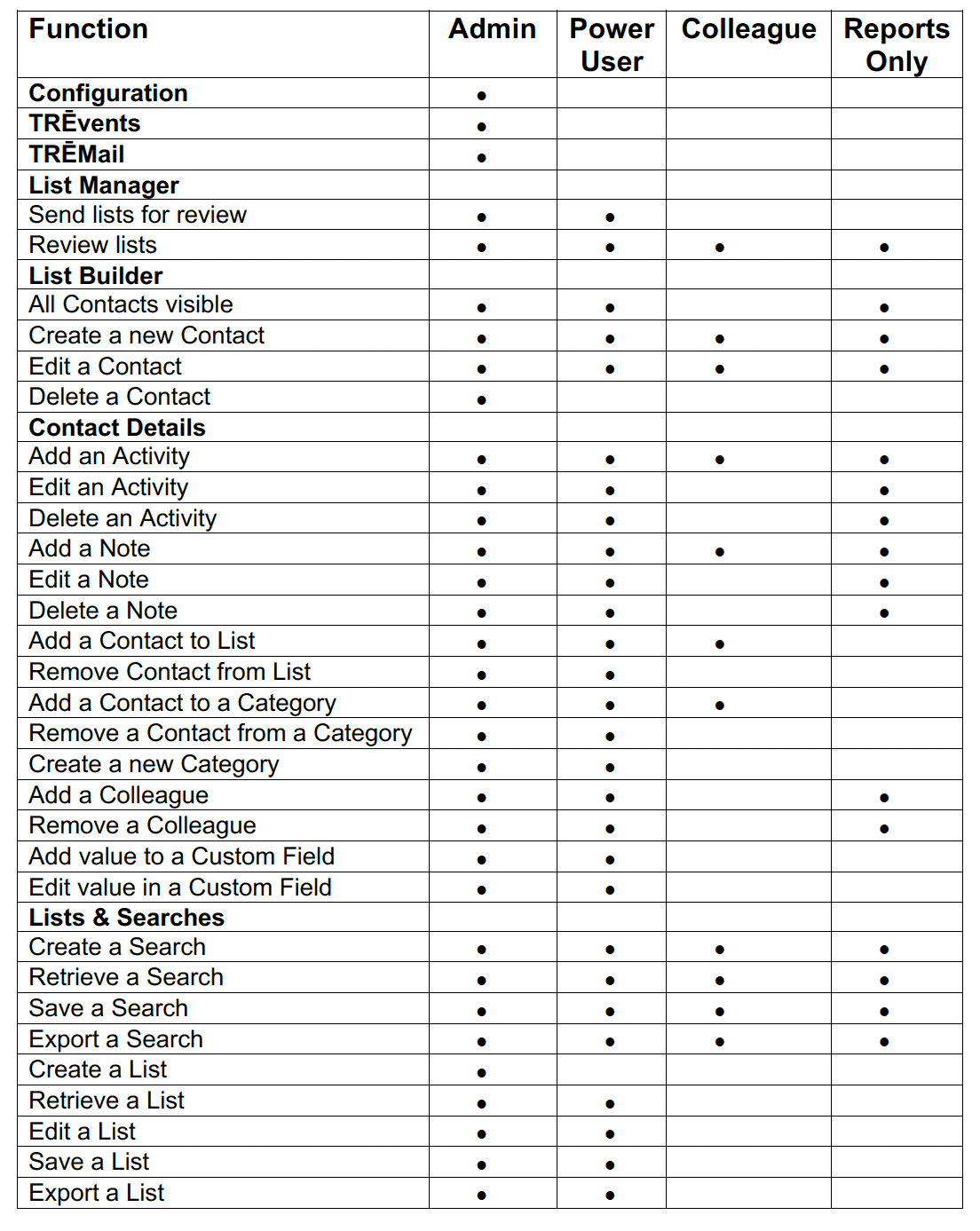
TRĒ AI New User Roles
We’ve introduced two new User Roles that will give additional flexibility when adding users to TRĒ. The Power User and Colleague roles are available now.
What should I expect to see?
To assign new users to TRĒ AI, please navigate to the Configuration tab, then Users & Roles. From here you can add new users and assign them the proper role.
NOTE: When you send lists for review via List Manager, the recipient, or their delegate, will have an account automatically created with a REPORTS ONLY role.
Please see the attached table for a detailed breakdown of the roles.