
TRĒ AI New Syncing
At TRĒ AI, we’re committed to making your CRM experience faster, smarter and more effective. That’s why we’re excited to share a recent enhancement designed to keep your contacts and lists between TRĒ and TRĒMail in sync. Lists and Contacts now sync seamlessly between TRĒ and TRĒMail!
What do you need to do?
Not a thing. This enhancement will be introduced to your environment on Thursday, September 11th.
What should I expect to see?
Contacts
On the Contact Details record in TRĒ AI, you will see four new Global Categories: Bounced; Complaints; Inactive and Unsubscribe. These categories are controlled by the status of the Contact in TRĒMail, and cannot be deselected from here.
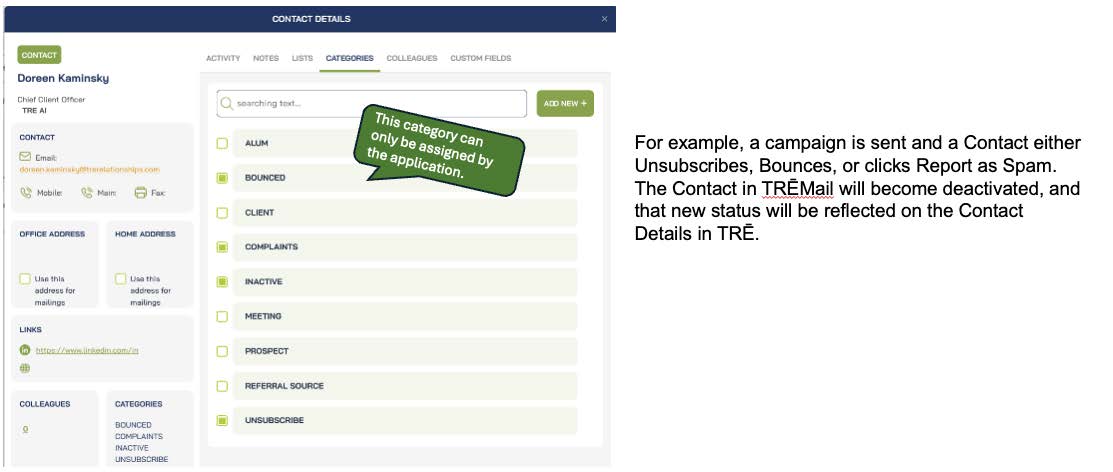
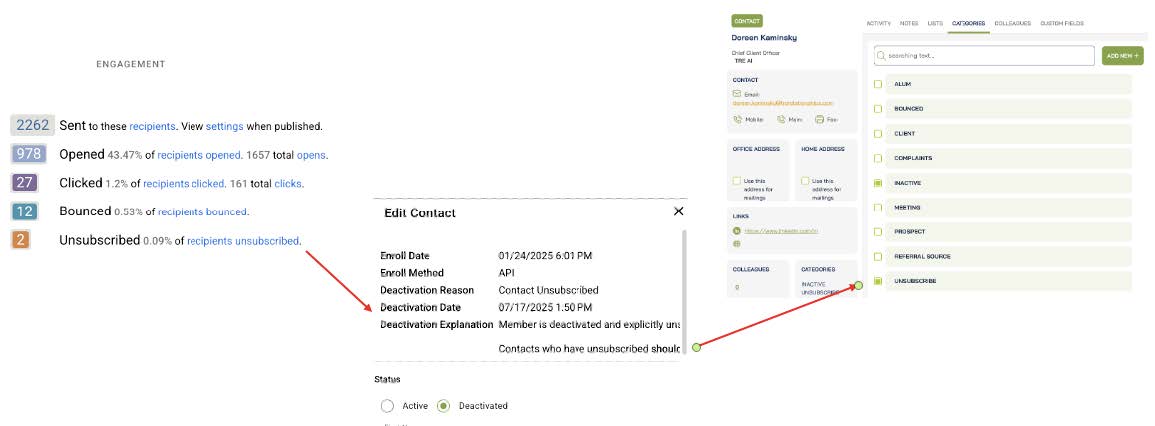
In this example, a Contact unsubscribes from an email they’ve received. The Contact record is updated in TRĒMail and then in TRĒ AI.
Lists
When creating and saving a list in TRĒ AI, that list will automatically be available in TRĒMail.
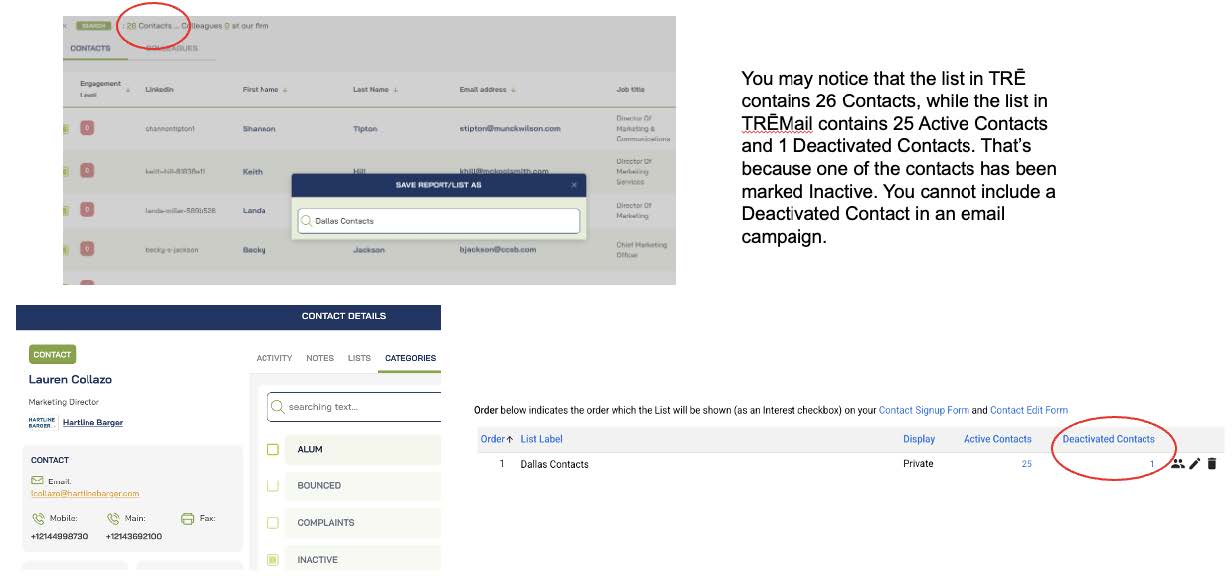
Note: If you have an older list in TRĒ AI that has not automatically synced to TRĒMail, simply retrieve the list, and save it with a new name, i.e., appending the date to the end. It will then sync to TRĒMail.
Filtering
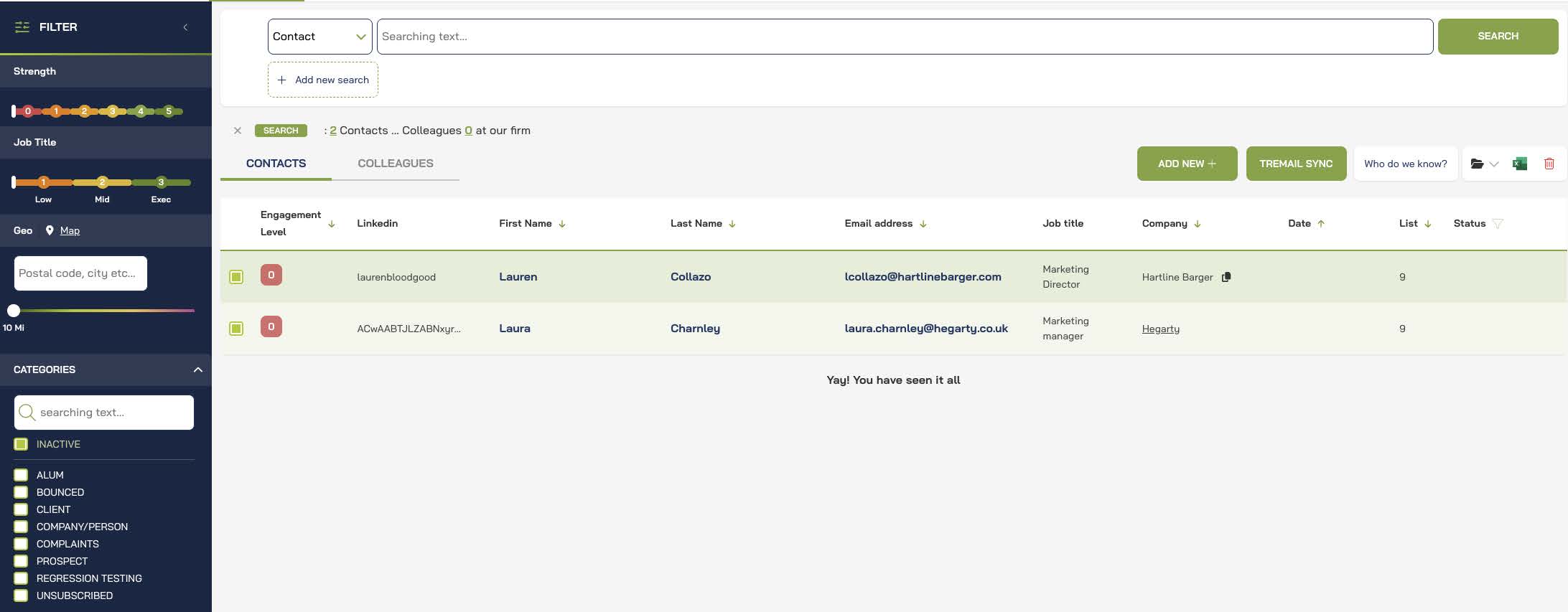
The four new Global Categories are available in the Filter pane in TRĒ AI, allowing easy searching for Inactive contacts.
Pro Tips!
• If you delete a list in TRĒMail, that list will remain in TRĒ AI. If you want to delete the list in TRĒ AI you can do so manually.
• If a change is made to a list in TRĒ AI, that change is reflected in TRĒMail instantly.
• If a change is made in TRĒMail, it may take up to an hour for that change to be reflected in TRĒ AI.
• Contacts that “hard bounce” are deactivated immediately
• Contacts that “soft bounce” are deactivated after:
10 unsuccessful deliveries when there is no Contact engagement
20 unsuccessful deliveries when Contacts have previously engaged
• Contacts in TRĒMail that are deactivated will have an Inactive status in TRĒ AI.
• As always, best practice is to work in TRĒ AI!
What’s Next?
We appreciate your input, as it continues to help us shape the future of TRĒ AI. Please let us know what you think about this enhancement, and if there were others you would like to see.